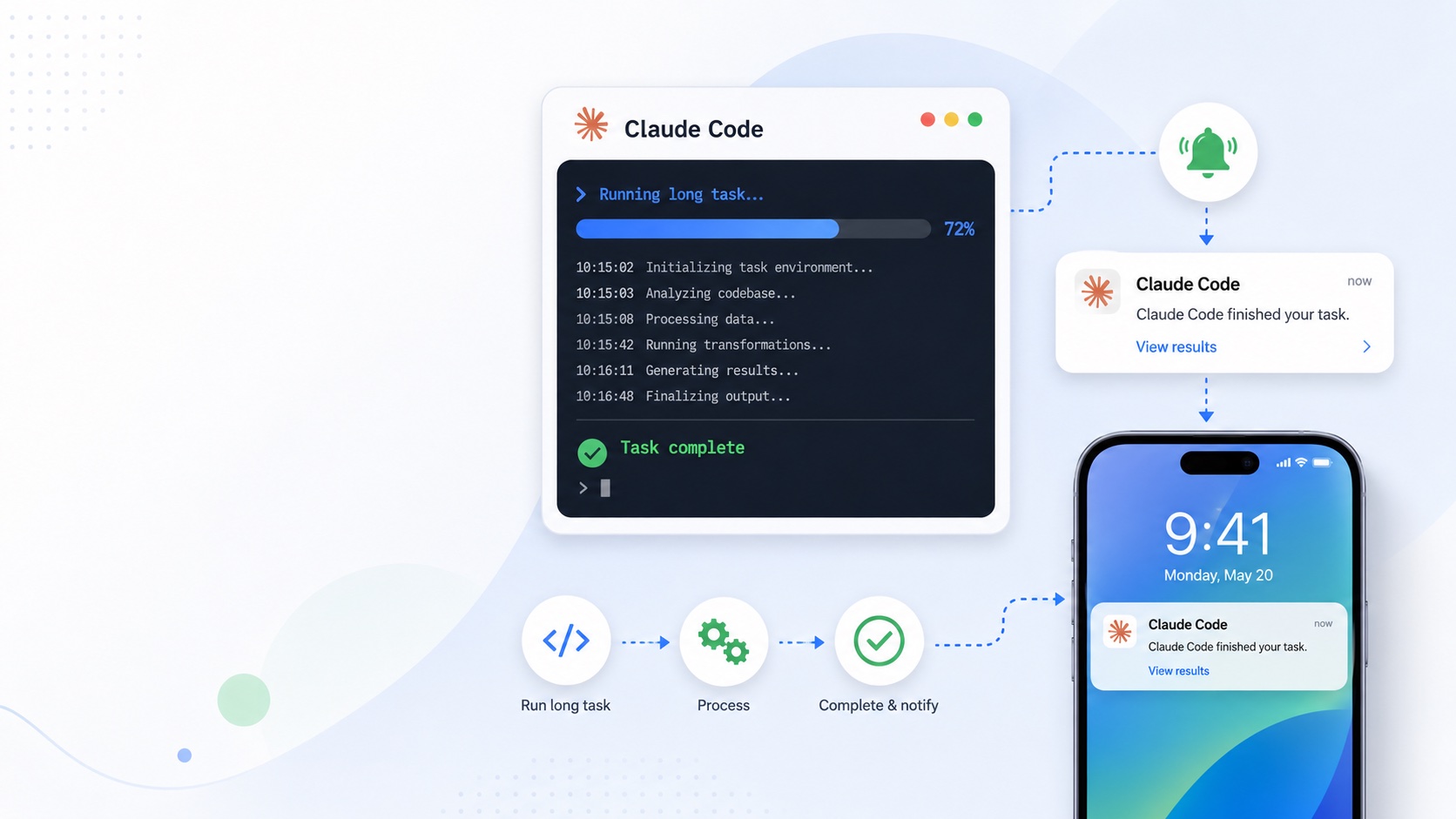
Get a Phone Notification When Claude Code Finishes a Task
I kick off a lot of long-running tasks in Claude Code — a big refactor, a test suite, a build-and-deploy. The annoying part isn’t the waiting, it’s the checking. I’ll start something that takes a few minutes, switch to email or a meeting, and then either forget about it entirely or burn attention flipping back to the terminal every ninety seconds to see if it’s done.
So I wired up a small fix: a global skill that pushes a notification to my phone the moment a task finishes. Now I can say “ping me when you’re done,” walk away, and trust it to find me.
Here’s the whole setup. It takes about five minutes and costs nothing.
The pieces
Three things make this work:
- ntfy.sh — a dead-simple pub/sub notification service. You publish a message to a “topic” with a single
curl, and any device subscribed to that topic gets a push. Free, no account required. - A Claude Code skill — a small instruction file in
~/.claude/skills/that teaches any session how to send that notification. - A line in your global
CLAUDE.md— so Claude reliably reaches for the skill when you ask to be notified.
Step 1: Install ntfy and pick a private topic
Install the ntfy app on your phone (iOS / Android).
Then generate a private topic name. The topic is your password here — anyone who knows it can read and send messages to it — so make it unguessable rather than something like my-builds:
echo "claude-$(openssl rand -hex 8)"Copy the result (something like claude-3f9a2b7c8d1e0f4a). In the ntfy app, tap + → Subscribe to topic and paste it in.
Step 2: Create the skill
A skill is just a folder with a SKILL.md file inside it. Create the file ~/.claude/skills/notify-me/SKILL.md and give it the contents below (replace YOUR-TOPIC-HERE with the topic from step 1):
---
name: notify-me
description: Send a push notification to my phone via ntfy.sh. Use when I ask to be notified, texted, or pinged when a task is done.
---

# notify-me

Sends a push notification to my phone using ntfy.sh.

## How to send

Run this command, replacing the title and message:

```bash
curl -s \
  -H "Title: <short title>" \
  -H "Priority: default" \
  -H "Tags: white_check_mark" \
  -d "<the message body>" \
  https://ntfy.sh/YOUR-TOPIC-HERE
```

## Guidelines

- Title: short, e.g. "Build finished" or "Tests passing".
- Message body: one or two sentences summarizing the outcome.
- Priority: `default` normally; `high` if something failed or needs attention; `low` for routine FYIs.
- Tags become emoji: `white_check_mark` for success, `rotating_light` for failure, `warning` for needs-attention.
- Send the notification as the final step, after the task is actually complete and verified.
- Only send when I asked to be notified.
The description line matters more than it looks — it’s what Claude uses to decide whether the skill is relevant, so phrase it the way you’d actually ask.
Step 3: Nudge Claude to use it
A skill sitting on disk only helps if Claude thinks to invoke it. Add this line to your global ~/.claude/CLAUDE.md (create the file if you don’t have one yet) so every session knows the pattern:
- When I ask to be notified / texted / pinged when something is done, use the `notify-me` skill as the final step once the task is verified complete.Step 4: Test it
Before trusting it with real work, confirm the pipe end to end:
curl -d "Hello from ntfy — setup works!" https://ntfy.sh/YOUR-TOPIC-HEREYou should get a push on your phone within a second or two. If you do, you’re done.
Using it
In any new Claude Code session, just tack a request onto your task:
Run the full test suite and ping me when you’re done.
Claude runs the work, and as its final step fires off a notification like “Tests passing — 142 passed, 0 failed.” with a little green check. If something fails, I have it bump the priority so the push actually grabs my attention.
Optional: make it automatic for unattended runs
The skill above is on-demand — it fires only when you remember to ask. Sometimes I want the opposite: kick off something genuinely long, walk away, and get pinged when it lands without having thought about it. For that, Claude Code has hooks — commands the tool runs itself at defined moments. The Stop hook fires every time Claude finishes responding.
The catch is that “every time Claude finishes responding” includes every short back-and-forth reply, so a naive Stop hook is noisy. The trick I use is a toggle file: the hook only sends a notification when a sentinel file exists, so I can flip the whole thing on for an unattended session and leave it off the rest of the time.
Add this to ~/.claude/settings.json (merge it into your existing hooks key if you have one):
{
  "hooks": {
    "Stop": [
      {
        "hooks": [
          {
            "type": "command",
            "command": "[ -f $HOME/.claude/notify-on ] && curl -s -H 'Title: Claude is done' -H 'Tags: white_check_mark' -d 'Claude Code finished responding.' https://ntfy.sh/YOUR-TOPIC-HERE || true"
          }
        ]
      }
    ]
  }
}
Then flip it on or off with a single command:
touch ~/.claude/notify-on   # turn auto-notifications ON
rm -f ~/.claude/notify-on   # turn them OFF
With the file present, every turn-end pings your phone; with it gone, the hook does nothing. The trailing || true keeps the hook from reporting an error on the quiet turns. My habit is to leave it off and touch the file right before launching something I plan to walk away from.
If you’d rather it be unconditionally always-on, drop the [ -f ... ] && guard and the || true, leaving just the curl. Just know it’ll ping you after every single response, including one-line answers.
A few things worth knowing
- It applies to new local sessions automatically, since it lives in
~/.claude/. Sessions that were already open need a restart to pick up the new skill. - Cloud runs won’t have it. Anything running in Anthropic’s environment rather than on your machine — the web app, scheduled agents — doesn’t see your local
~/.claude/files. - Free ntfy messages aren’t encrypted and expire after about 12 hours server-side. Perfect for “build done” pings; don’t put secrets in the message body.
- Keep your topic private. Don’t commit it to a public repo. If it ever leaks, generate a new one and update the
SKILL.md. - On-demand and automatic aren’t mutually exclusive — you can keep the skill for “ping me when this is done” and leave the optional Stop hook installed, toggled on only when you’re stepping away.
That’s the whole setup. It’s a small thing, but I reach for it constantly now. I start the slow jobs and go do something else, and the work tells me when it’s ready.